When using camera-based systems, false alerts can be a frustrating issue. You might find that overly sensitive sensors or object misidentification frequently trigger notifications. Environmental factors like poor lighting and strong winds can complicate detection even further. Plus, human error in settings can exacerbate the problem. Understanding these causes is key to improving your system’s reliability, but there’s more to contemplate if you want to minimize these disruptions.
Key Takeaways
- High sensor sensitivity can trigger alerts from minor movements or environmental factors, leading to false alarms.
- Object recognition errors may misidentify everyday items as threats, causing unnecessary alerts.
- Environmental conditions like strong winds or poor visibility can disrupt camera performance and result in false positives.
- Inadequate user training and misconfigurations can lead to overlooked settings that increase false alerts.
- Software glitches and outdated firmware may impair system functionality, leading to persistent false alarms.
Understanding the Causes of False Alerts in Camera-Based Systems

When you rely on camera-based systems for security or monitoring, it’s crucial to understand the common causes of false alerts. One major factor is sensor sensitivity. If sensors are set too high, even minor movements can trigger alerts, leading to unnecessary reactions. Additionally, object recognition algorithms can misidentify everyday objects—like leaves or passing animals—as threats. This misidentification can stem from poor calibration or outdated software.
Adjusting sensor sensitivity and regularly updating object recognition systems can greatly reduce false alerts. By being proactive, you enhance your system’s reliability, ensuring it serves your need for security without the constant interruptions of false alarms. Furthermore, conducting routine inspections of your camera systems can help identify potential issues that may lead to false alerts. Regular maintenance, including upgrading equipment, ensures your system operates optimally and minimizes the risk of false triggers.
Understanding these elements empowers you to maintain control over your monitoring environment.
Environmental Triggers of False Alerts

Environmental factors can significantly contribute to false alerts in camera-based systems, often catching you off guard. Weather conditions and seasonal changes can create unexpected challenges. Heavy rain or snow might obscure the camera’s view, while bright sunlight can cause glare, confusing the motion detection system. Proper camera placement can help mitigate some of these environmental issues.
Here’s a quick overview of common environmental triggers:
| Trigger | Effect on Camera System | Solution |
|---|---|---|
| Rain/Snow | Obscured visibility | Use weatherproof housing |
| Strong Winds | Motion from trees/debris | Adjust sensitivity settings |
| Sun Glare | False motion detection | Position cameras strategically |
Additionally, motion sensors can be a complementary solution to enhance home security by providing immediate detection of movement without the environmental limitations faced by cameras.
Human Error: Misconfigurations in Camera Systems

Misconfigurations in camera systems often lead to frustrating false alerts, especially if you’re unaware of the potential pitfalls.
One common issue arises from inadequate user training; without proper guidance, you may overlook essential settings or fail to understand the system’s capabilities. Additionally, proper camera placement can significantly reduce false alerts by ensuring optimal coverage of key areas.
Inadequate user training can lead to overlooked settings and misunderstandings of system capabilities, resulting in frustrating errors.
Configuration management also plays an important role—if you don’t regularly review and update your settings, changes in the environment or technology can render your system ineffective, triggering unnecessary alerts. To minimize these errors, invest time in thorough user training and establish a routine for configuration management. Additionally, regular maintenance of your camera systems can help identify and resolve issues that might contribute to false alerts.
Solutions for Software Glitches in Camera Systems

While software glitches can be a significant source of frustration in camera systems, there are effective solutions to mitigate these issues.
First, make sure you regularly perform software updates. These updates often include bug fixes that can resolve glitches and enhance system performance. Additionally, keeping your system’s firmware upgrades up to date can help address security vulnerabilities and improve overall performance.
Next, run system diagnostics to identify and troubleshoot any underlying problems. Most camera systems come with built-in diagnostic tools that can help pinpoint issues quickly.
Additionally, consider rebooting your system periodically to refresh its operation.
Finally, if glitches persist, consult the manufacturer’s support for further assistance. Regular maintenance tasks, including cleaning sensors, can also help improve system reliability and reduce the occurrence of glitches.
How Bad Lighting Affects Camera Alerts
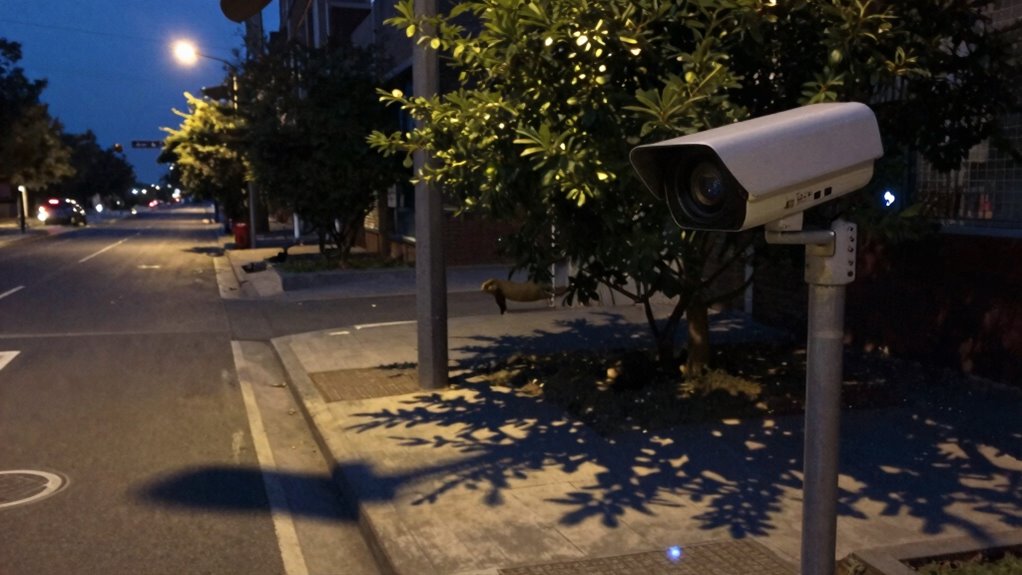
When lighting conditions are poor, your camera alerts can become less reliable and lead to false alarms. In low light situations, cameras struggle to detect movement accurately, often mistaking shadows or background noise for intruders. This can trigger unnecessary alerts, causing frustration and distrust in the system.
Additionally, glare effects from artificial lights can create reflections or hotspots that confuse the camera’s sensors, resulting in further false positives. These issues not only compromise the effectiveness of your surveillance but can also detract from your sense of security.
To mitigate these problems, consider improving lighting in critical areas or investing in cameras designed to handle low light conditions better, ensuring accurate monitoring when you need it most.
Frequently Asked Questions
How Can I Test My Camera System for False Alerts?
To test your camera system for false alerts, use methods like motion simulation or environmental changes. Monitor alert triggers closely, adjusting settings to minimize unnecessary notifications. Regular testing guarantees your system stays reliable and effective.
What Are the Financial Implications of False Alerts?
If you’re not careful, false alerts can hit your budget like a runaway train. Conduct a cost analysis to understand their impact on resources, staff efficiency, and overall operational expenses, ultimately affecting your financial freedom.
Can False Alerts Damage Camera Equipment?
Yes, false alerts can damage camera equipment. Frequent triggering may lead to increased wear, affecting camera maintenance and ultimately reducing equipment longevity. Regular checks and adjustments help guarantee your gear remains in top condition.
Are There Specific Brands Prone to False Alerts?
Some brands do have a reputation for higher alert frequency, which can lead to more false alerts. Focusing on brand reliability can help you choose a system that minimizes these frustrating notifications.
How Often Should I Update My Camera System Software?
You should update your camera system software every few months for peak performance. Regular software maintenance keeps your system secure and minimizes false alerts, ensuring you enjoy the freedom and peace of mind your camera provides.