Smart locks offer convenience, but battery failures can undermine their functionality. You might notice lagging response times or receive app notifications about low battery levels. Understanding the common causes of these failures and how environmental factors play a role is essential. By recognizing the signs early and implementing preventive measures, you can avoid unexpected lockouts. What steps can you take to guarantee your smart lock remains secure and reliable?
Key Takeaways
- Common causes of smart lock battery failure include poor power management, high usage, and exposure to extreme temperatures.
- Regularly check and replace batteries to prevent sudden failures and ensure your lock operates smoothly.
- Monitor battery levels and conditions frequently to catch issues early and avoid unexpected lockouts.
- Upgrade smart locks older than five years for better security features and battery efficiency.
- Maintain clean locks and perform monthly functionality tests to ensure optimal performance and prevent lockouts.
Signs Your Smart Lock Battery Is Dying

Have you noticed your smart lock acting strangely? It might be time to pay attention to some vital battery warning signs.
If you find the lock’s response time lagging or it fails to open smoothly, these could be critical lock performance indicators. You might also experience unexpected lockouts or intermittent connectivity issues with your smartphone app. Maintaining the lock’s battery is crucial for enhanced security and overall functionality.
Additionally, listen for unusual sounds when you attempt to lock or open; these can signal low battery levels. Regularly check the app for notifications regarding battery status, as many smart locks provide alerts when power is dwindling. To avoid potential issues, it’s essential to conduct regular battery checks as part of your smart lock maintenance routine.
Common Causes of Smart Lock Battery Failure
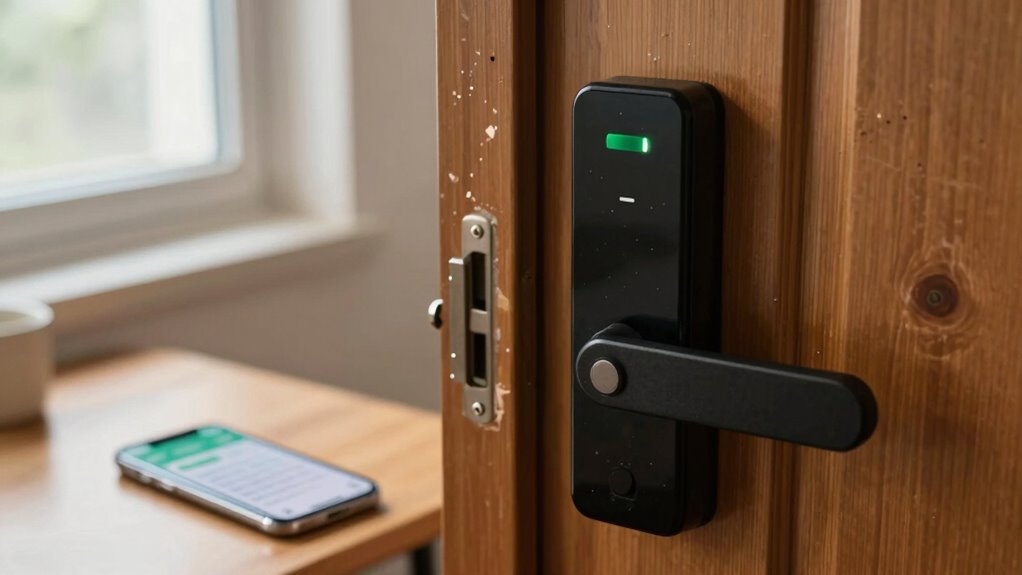
While you might think battery failure in smart locks is solely due to age, several factors contribute to this issue. Understanding these causes helps you maintain a reliable locking system.
Battery failure in smart locks isn’t just about age; multiple factors play a role in maintaining their reliability.
- Battery Types: Different battery types have varying lifespans; some may not suit your lock’s requirements.
- Power Management: Poor power management can drain batteries quicker than expected.
- Frequent Use: High traffic can lead to rapid battery depletion, especially in busy households.
- Incompatible Accessories: Using accessories that demand excessive power can negatively impact battery life.
How Weather Affects Smart Lock Performance

Weather plays an essential role in your smart lock’s performance, particularly through temperature extremes that can drain battery life.
High humidity levels can lead to corrosion of electronic components, compromising functionality.
Additionally, precipitation can further expose these components to damage, affecting the overall reliability of your smart lock.
Temperature Extremes Impact Battery
Extreme temperatures can greatly impact the performance and lifespan of your smart lock’s battery.
Both cold weather and heat exposure can lead to considerable battery issues, especially during temperature fluctuations. Understanding these effects can help you maintain functionality and avoid lockouts.
Here are some points to reflect on:
- Cold Weather: Batteries lose charge quickly, reducing performance considerably.
- Heat Exposure: High temperatures can cause battery leakage or swelling.
- Temperature Fluctuations: Rapid changes stress the battery, shortening its lifespan.
- Extreme Conditions: Prolonged exposure to harsh weather can lead to complete battery failure.
Humidity Causes Corrosion Issues
Humidity can considerably affect the internal components of your smart lock, leading to corrosion that compromises its functionality.
The humidity effects can cause moisture to seep into the lock, fostering rust and degradation of electronic parts. This deterioration not only impacts performance but may also result in complete lock failure, locking you out of your space when you need access the most.
To guarantee corrosion prevention, consider using silica gel packets or moisture-absorbing materials near your smart lock. Regular maintenance, such as wiping down the exterior and guaranteeing proper sealing, can also mitigate humidity effects.
Precipitation and Electronic Components
While you mightn’t think about it often, precipitation can greatly impact the performance of your smart lock. Water damage and moisture exposure can lead to various issues, affecting your lock’s reliability. Here’s how:
- Electrical Short Circuits: Rain or snow can seep into internal components, causing malfunctions.
- Corrosion: Persistent moisture can corrode metal parts, leading to wear over time.
- Battery Drain: Excess water can affect battery performance, leading to premature failure.
- Sensor Malfunction: Moisture can interfere with sensors, impacting the lock’s functionality.
To prevent these problems, make certain your smart lock is rated for outdoor use and consider protective covers.
Managing Battery Issues in Different Weather Conditions

As temperatures fluctuate, battery performance in smart locks can vary considerably, impacting their reliability. To manage battery issues, consider your battery storage and make seasonal adjustments. Cold weather can diminish battery capacity, while heat can accelerate degradation.
| Weather Condition | Recommended Action |
|---|---|
| Cold (below 32°F) | Store batteries indoors; check charge levels frequently. |
| Moderate (32°F-85°F) | Guarantee batteries are fully charged before seasonal changes. |
| Hot (above 85°F) | Avoid direct sunlight; consider using a heat shield. |
Battery Life Tips for Smart Locks

To extend your smart lock’s battery life, you should conduct regular battery checks to catch issues early.
Additionally, maintaining ideal operating conditions can greatly reduce energy consumption.
Regular Battery Checks
Regular battery checks are essential for guaranteeing your smart lock functions reliably. By implementing a battery monitoring system and adhering to a replacement schedule, you can avoid unexpected lockouts.
Here are some steps to keep your smart lock in top shape:
- Check battery levels monthly to catch issues early.
- Replace batteries every 6 to 12 months, depending on usage.
- Use high-quality batteries designed for smart devices.
- Keep a spare set of batteries on hand for emergencies.
These practices not only enhance the lock’s performance but also give you peace of mind.
Optimal Operating Conditions
While smart locks offer convenience and security, their battery life can be considerably affected by environmental conditions.
To guarantee ideal battery usage, consider the location of your smart lock installation. Extreme temperatures, both hot and cold, can drain batteries faster. Ideally, install your lock in a sheltered area, away from direct sunlight or moisture.
Additionally, keep the firmware updated to enhance efficiency and battery management. Avoid frequent use of features like Wi-Fi or Bluetooth unless necessary, as they consume power. Furthermore, implementing advanced security measures can help ensure that your smart lock remains functional and secure, even during battery life fluctuations.
Finally, be mindful of the battery type; high-quality lithium batteries tend to perform better.
What to Do If You Get Locked Out?

Have you ever found yourself standing outside your door, locked out due to a smart lock battery failure?
Have you ever experienced the frustration of being locked out because your smart lock ran out of battery?
Don’t panic; there are effective lockout solutions to regain emergency access. Here’s what you can do:
- Check for a backup key hidden nearby.
- Use a portable charger to power the lock temporarily.
- Call a locksmith for professional assistance.
- Reach out to a trusted neighbor for help.
Each option provides a pathway to freedom from your lockout situation.
It’s essential to stay calm and assess your surroundings.
When to Upgrade Your Smart Lock?

Experiencing a smart lock battery failure can serve as a wake-up call about the importance of evaluating your security system.
You should consider upgrading your smart lock if it’s over five years old, as older models may lack modern features and security enhancements. With rapid technology advancements, newer smart locks often offer better connectivity, enhanced encryption, and improved battery life.
Additionally, if you notice recurring battery issues or compatibility problems with your smart home devices, it’s time for a change. Embracing smart lock upgrades can fortify your home security and offer greater peace of mind.
Always assess your current lock’s performance and capabilities to guarantee you’re not compromising your freedom and safety.
Essential Maintenance Tips for Your Smart Lock

To guarantee your smart lock operates effectively and securely, regular maintenance is essential. Neglecting this can lead to frustrating lockouts and security vulnerabilities.
Here are some smart lock maintenance tips to keep in mind:
- Check battery levels regularly; replace batteries before they deplete to avoid sudden failures.
- Clean the exterior with a soft, damp cloth to prevent dust buildup and maintain smooth operation.
- Update the firmware periodically; manufacturers release updates to enhance device security and performance.
- Test the lock’s functionality monthly to verify it responds correctly to your commands.
Additionally, consider implementing 24/7 surveillance for your home, as it enhances overall security and can help catch any attempted tampering with your smart lock.
Frequently Asked Questions
Can I Use Rechargeable Batteries in My Smart Lock?
Yes, you can use rechargeable batteries in your smart lock, provided they’re compatible. Verify they meet the manufacturer’s specifications for ideal smart lock performance, as some locks may not function well with all rechargeable options.
How Long Do Smart Lock Batteries Typically Last?
Smart lock batteries typically last between six months to two years. Battery lifespan factors include usage frequency and environmental conditions. To extend longevity, follow battery maintenance tips like regular checks and using quality batteries for ideal performance.
Are There Specific Battery Brands Recommended for Smart Locks?
You should consider brands like Energizer and Duracell for smart locks, as they offer reliable battery performance. Always check brand compatibility to guarantee peak function and to avoid potential issues with your smart lock.
Will My Smart Lock Notify Me of Low Battery?
Yes, your smart lock will typically notify you of low battery through its battery alert systems. Regular smart lock maintenance, like checking notifications, guarantees you stay informed and prevents unexpected lockouts, giving you peace of mind.
Can I Manually Unlock My Smart Lock During a Battery Failure?
Yes, you can manually access your smart lock during a battery failure. Most models include a keyway for emergency access, allowing you to use a physical key to regain entry when the battery’s dead.